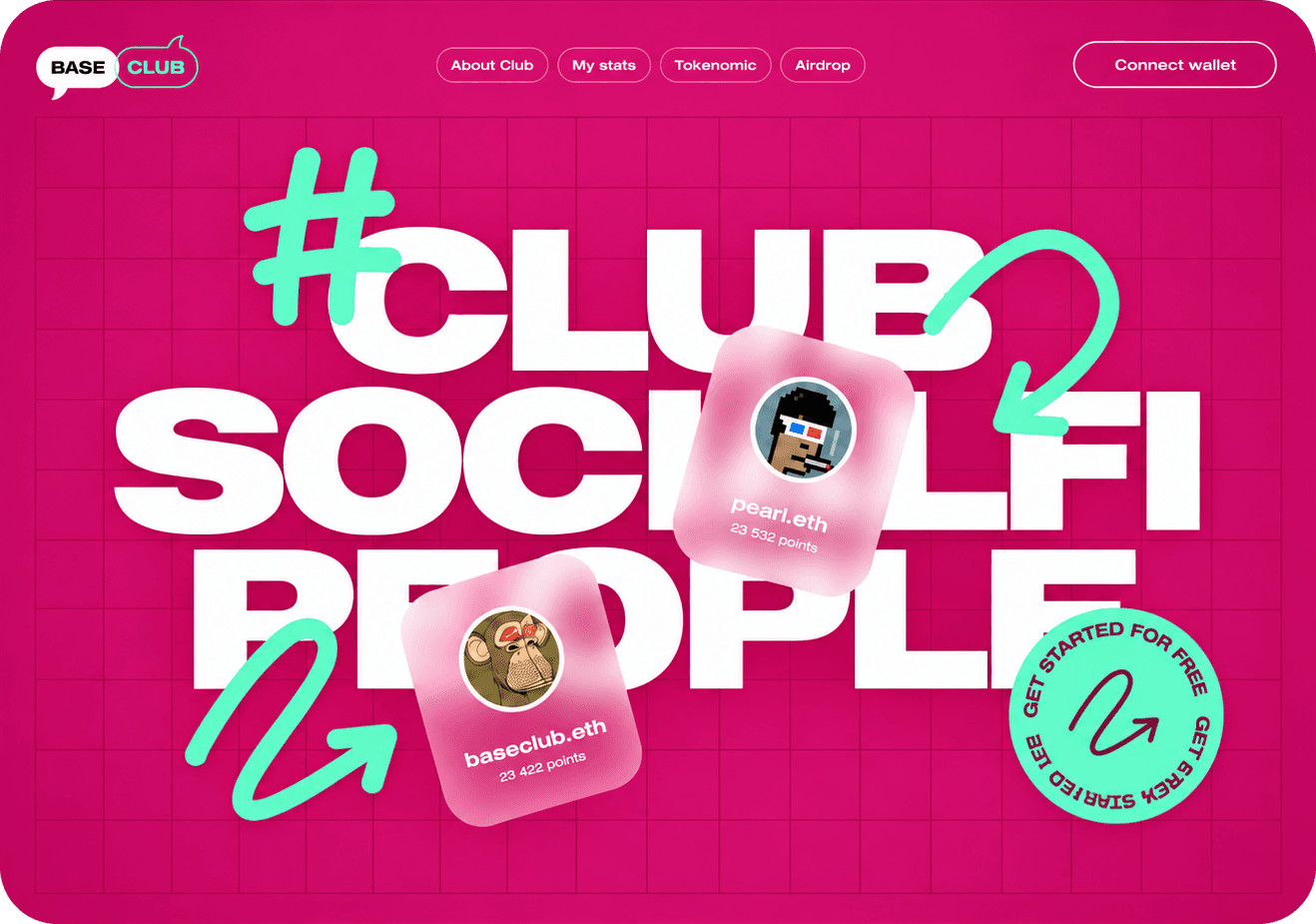
This prompt recolours the hero section of your site with three colours: two base colours and one accent. You give an AI image tool a screenshot of your current hero, and it sends back a redesigned version as a static image. Your brand name, copy, navigation and layout stay where they are.
It also lists the three hex codes and where it used each one, so whoever builds the page can use them as they are.
The image at the top is one result, generated by AI from a screenshot of a web3 hero called BASE CLUB. Pink is the background and white carries the headline and the outlines. Mint goes on one set of details: the hand-drawn marks and the round "Get started for free" badge. The nav links and Connect wallet stay quiet.
How to use it
- Screenshot your hero. Capture the top of your homepage at desktop width. The browser bar and the rest of the page can stay in the shot; the prompt tells the model to crop them away.
- Paste it with the prompt. Open an AI tool that can generate images, such as ChatGPT or Higgsfield. Attach the screenshot and paste the prompt below in the same message.
- Fill in the colours, or don't. The Background, Text and Accent lines are optional. Leave them as they are and the model picks a fresh palette for your brand. Put hex codes in when you already know your colours.
- Review the image and the codes. You get the redesigned hero and a short list of three hex codes, each with where it was used.
Which one detail in your hero should carry the accent?